Focused Android storage cleaner for targeted file removal
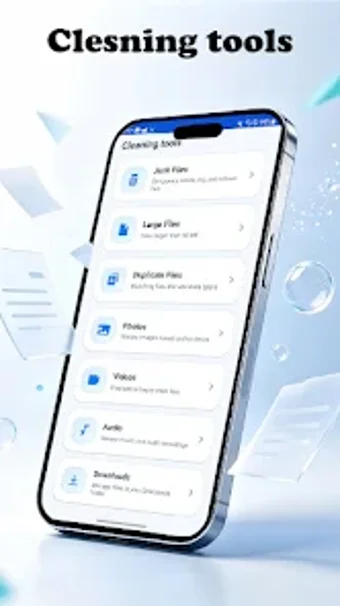
Try DashClear Tool by VSDTI, LLC to manage Android storage and remove unnecessary files. It scans internal storage to identify junk, duplicates, and large files for targeted deletion, giving users direct control over photos, videos, and audio. The app lists junk file cleanup, large file identification, duplicate detection, and media categorization as core features for precise space reclamation. Designed for Android owners who want a dedicated cleanup utility, it emphasizes simplicity over multi-tool suites.
Does it slow down your device during scans?
Moreover, the developer positions the tool as a lightweight, focused Android utility intended for storage tasks. Specific system requirements vary by device, and the app targets minimal background intrusion during scans. Recent updates (Augustindicate active maintenance. Expect scans that perform file analysis without running continuous system-wide services, because the app concentrates on storage inspection rather than broad system monitoring.
Is it safe to use on a production device?
In addition, the app confines itself to file cleanup and avoids booster or cooling features that alter system state. The app encrypts data in transit according to its safety declaration, which reduces interception risk during communication. Permission scope is narrower than multi-tool suites, and the design focuses on scanning and presenting candidates for user review rather than executing system-wide changes.
Do I need technical knowledge to operate the app?
Nevertheless, the interface is built around routine cleanup workflows and offers direct decision points for file removal, which suits users without specialist skills. Menus avoid deep system jargon and the process emphasizes reviewing identified items before deletion. Power users retain selective control, but the single-purpose model does not surface advanced configuration options that would require specialist expertise.
Practical choice with a clear privacy caveat
DashClear Tool is a practical option for Android users who need focused storage cleanup; one limitation is that the app includes advertisements and, according to its safety declaration, may share location and app activity data with third parties. Before deleting items permanently, review scan results carefully and check app permissions. This approach makes the tool appropriate for users who prefer direct control over device storage.